
Download Netionary – Drawing Game, Pictionary Online, Social Fun
Overview
Netionary is an innovative online adaptation of the classic drawing game Pictionary, designed to bring the joy of creative expression and word guessing into a digital format. The app enables users to engage in real-time drawing and guessing challenges with players from around the world, transforming the traditional paper-and-pencil experience into a seamless digital interaction. By leveraging an image editor for drawing, Netionary removes the need for physical materials, making it accessible anytime and anywhere. The app is ideal for individuals and groups seeking lighthearted entertainment, team-building activities, or casual social interaction through gameplay. It serves as a digital bridge for friends, family, and strangers to connect through creativity and humor.
Target users include casual gamers, social players, educators using interactive tools, and anyone interested in a quick, engaging way to pass time. The game's focus on global connectivity allows players to interact with diverse audiences, fostering cultural exchange through shared laughter and creative interpretation. Although the developer did not provide additional background information, the app has maintained relevance since its release in 2006, suggesting a stable foundation and consistent user engagement. Netionary plays a notable role in the mobile gaming ecosystem by offering a low-barrier entry point to multiplayer social games that emphasize creativity over complex mechanics.
Key Features & Functionality
- Global Connectivity: Players can join matches with individuals worldwide, expanding the social reach beyond local or immediate circles. This feature supports both spontaneous play and scheduled sessions with international participants.
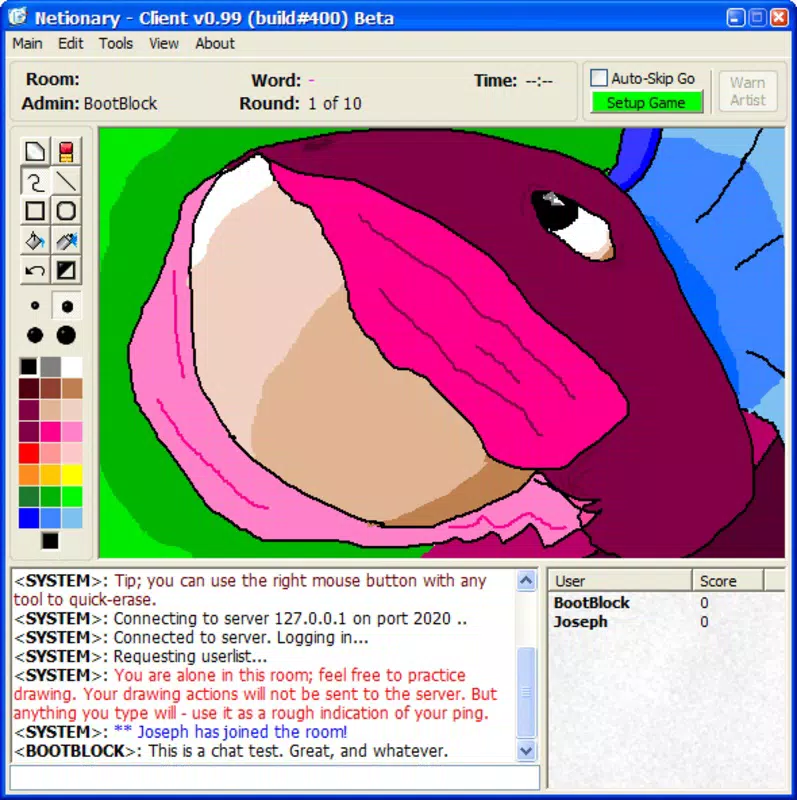
- Simple Drawing Tools: The integrated image editor provides basic drawing functions that emulate the feel of traditional sketching. While advanced editing options are not available, the minimal interface encourages quick, expressive drawings that often lead to humorous misinterpretations.
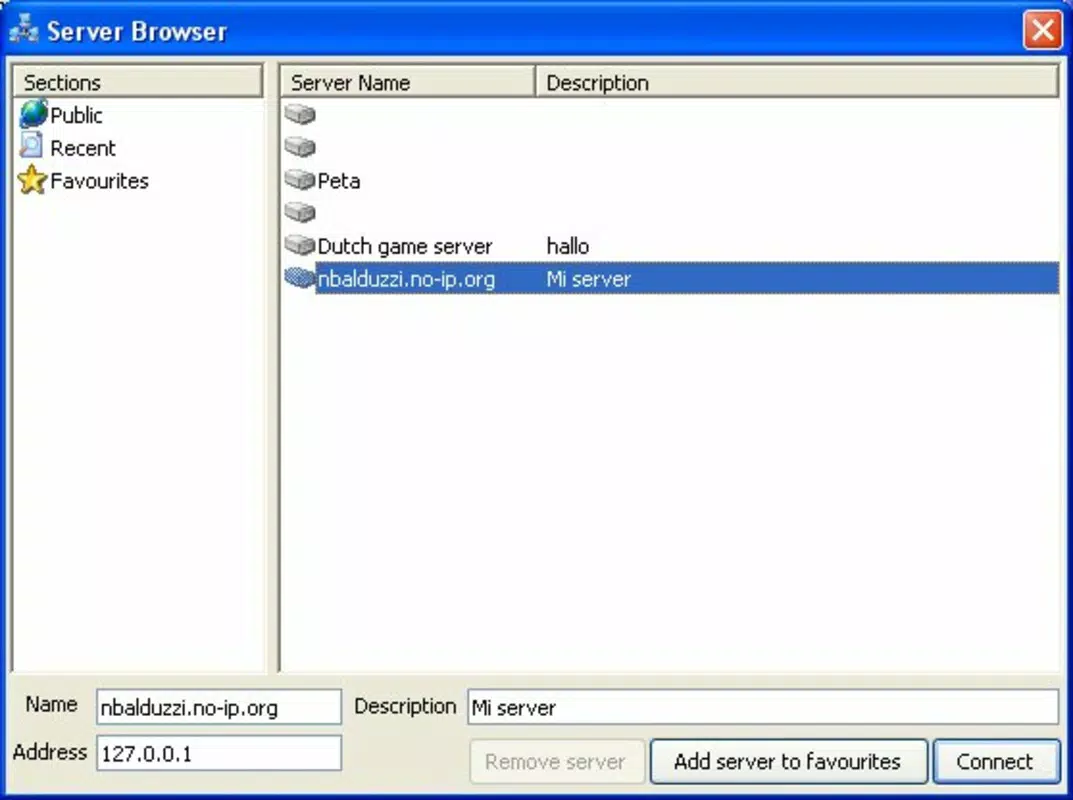
- Match Creation and Joining: Users can either create new game sessions or join existing ones through a server-client model. This setup allows for flexible gameplay, whether seeking a quick match or building a longer-lasting game community.
- Enhanced Social Interaction: A built-in chat function enables real-time communication during matches. Players can exchange jokes, hints, or playful banter, deepening the social experience and making each round more dynamic and entertaining.
These features combine to deliver a streamlined, social gaming experience. For example, a group of friends across different time zones can schedule a match, use the chat to tease each other, and enjoy the surprise of how their drawings are interpreted. Similarly, solo players can drop into a random match and instantly connect with someone new, turning a quiet moment into an engaging interaction. The simplicity of the tools ensures that no technical skill is required, making the game accessible to users of all ages and backgrounds.
Interface, UX & Performance
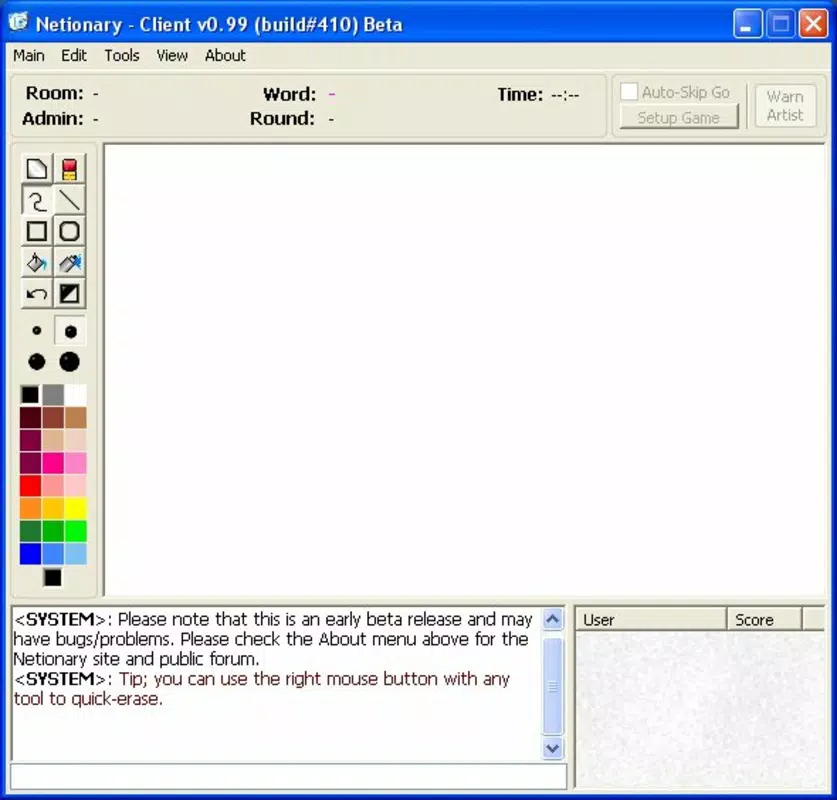
Netionary features a clean, intuitive interface that prioritizes ease of access and immediate gameplay. The layout is designed to guide users through the core actions—drawing, guessing, and chatting—with minimal navigation steps. Visual elements are kept minimal, focusing attention on the drawing canvas and the word to be guessed. The navigation flow is straightforward, with clearly labeled buttons for starting a match, joining a room, and accessing chat.
Although the developer did not list formal performance metrics, the app’s long-standing presence suggests a level of stability and responsiveness across various device categories. Users can expect smooth operation on both older and newer smartphones, particularly given the app’s relatively lightweight design. The interface remains responsive during drawing sessions, with minimal lag or input delay. However, compatibility details were not fully disclosed, so users should verify their device’s ability to run the application before installation.
Platform Compatibility & Technical Requirements
Netionary is available on Android and iOS platforms, making it accessible to a wide range of smartphone users. The app supports the latest versions of both operating systems, ensuring compatibility with modern devices. The file size is reported as 12.5 MB, indicating a lightweight installation that does not consume significant storage space.
Specific requirements such as minimum OS version or hardware specifications were not listed. The developer did not specify whether the app supports tablet devices or requires a particular screen resolution. Users should consult official sources for updated compatibility information, especially when using older or less common devices. Despite this, the app’s lightweight nature suggests broad device compatibility.
Pros and Cons
Pros
- Simple, intuitive interface ideal for quick gameplay
- Global connectivity enables interaction with players worldwide
- Lightweight file size (12.5 MB) ensures fast installation
- Real-time chat enhances social and interactive gameplay
- Accessible without requiring advanced drawing skills
Cons
- Developer did not provide detailed technical specifications
- Advanced drawing tools or customization options are not available
- Compatibility with tablets or older devices was not confirmed
- Performance on low-end devices was not tested or reported
- No official update frequency or support timeline disclosed
FAQ
Is Netionary free to download and use?
Yes, Netionary is available for free download. The app does not require a subscription or in-app purchases to access core gameplay features.
Can I play Netionary offline?
Netionary requires an active internet connection to connect with other players and access the game’s server-based functionality. Offline play is not supported.
Is Netionary safe to install on Android and iOS?
Netionary is designed as a secure, browser-based game with no known security risks. However, users should only download the app from official app stores to ensure authenticity and safety.
How often is Netionary updated?
The developer has not disclosed the update schedule. Users are advised to check for updates regularly through their device’s app store.
Can I play with friends on Netionary?
Yes, players can create private matches or join public ones to play with friends or meet new people from around the world.
Final Thoughts + CTA
Netionary stands out as a timeless digital twist on a classic party game, successfully translating the spontaneity and laughter of Pictionary into a modern, accessible format. Its focus on simplicity, global connectivity, and real-time social interaction makes it a valuable tool for casual fun, remote team bonding, or just a few minutes of creative relief. While the app lacks advanced features and detailed technical disclosures, its core experience remains solid and engaging. For users seeking a lightweight, social, and entertaining mobile app that requires no learning curve, Netionary delivers consistent value. Whether you're playing with friends across continents or meeting new players online, the app fosters connection through shared creativity.
Download Netionary now


